Writer
Professional text documents.
Learn moreLibreOffice is a free and open-source office suite for everyone. Create, edit, and share text documents, spreadsheets, presentations, and much more.

All the tools you need in one suite.
Professional text documents.
Learn moreSpreadsheets and data analysis.
Learn morePresentations in just a few moments.
Learn moreDiagrams and vector graphics.
Learn moreSimple database management.
Learn moreMathematical formulas in documents.
Learn moreWhat is LibreOffice?
LibreOffice is a community-developed open-source office suite. It works on Windows, macOS, and Linux. It is fully compatible with Microsoft Office formats and allows you to open, edit, and save files free of charge.

Choose your operating system and download the latest version.
For Windows 11 and later
DownloadFor macOS and later versions
DownloadFor most Linux distributions
DownloadLatest version of LibreOffice 26.8.0.2
Yes. LibreOffice is a free and open-source office suite.
LibreOffice supports popular document formats, including many Microsoft Office formats.
LibreOffice is developed as an open-source office suite by the community and The Document Foundation.
The latest version is available in the download section.
You can use the documentation, forums, and LibreOffice community resources.
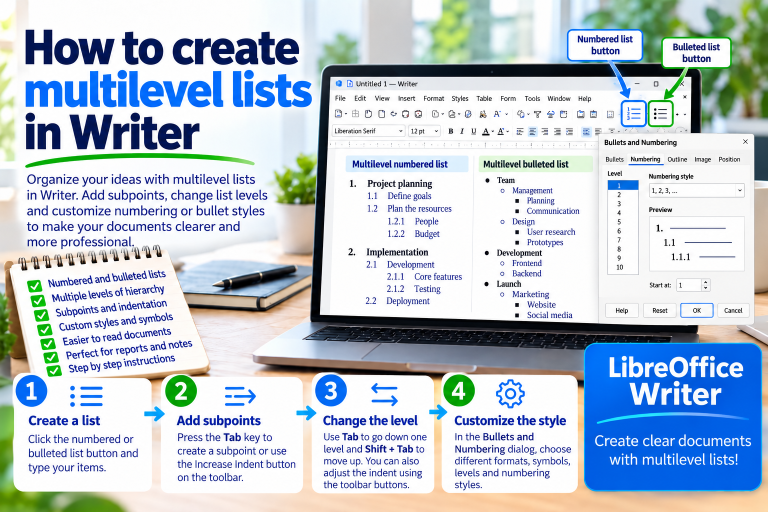
Imagine a training plan. At first, you have three main topics, but each of…
Read more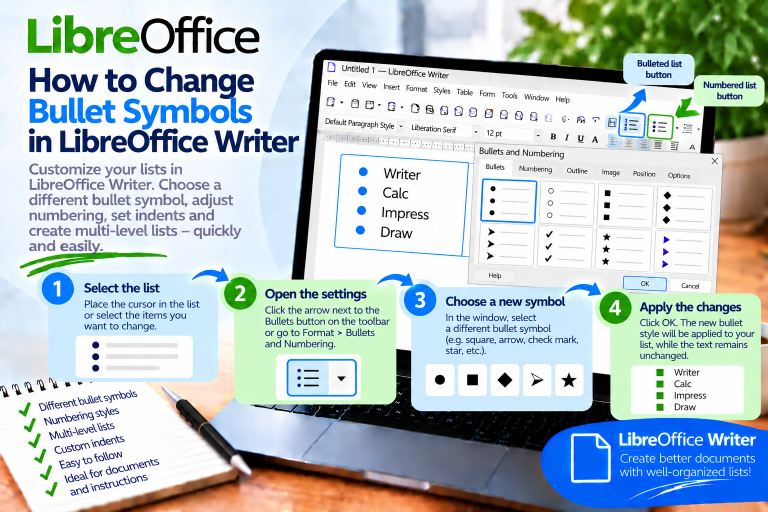
The standard dot next to each item is clear, but it does not always…
Read more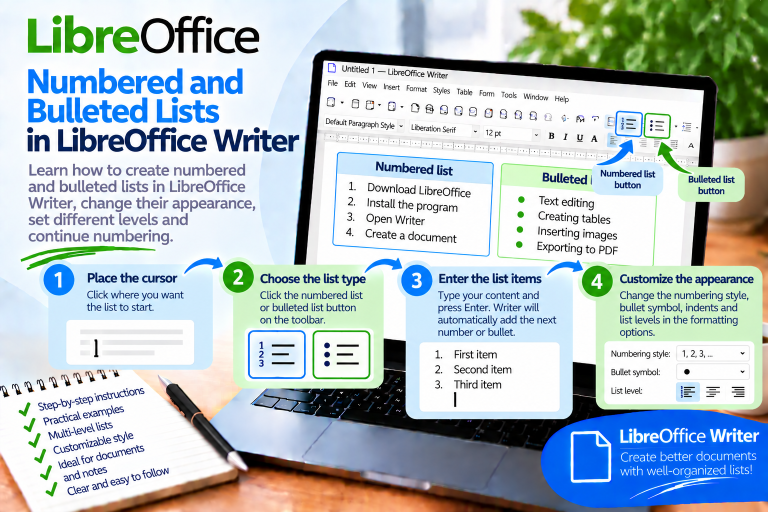
Instructions may have several steps, a shopping list a dozen items, and a project…
Read more