


LibreOffice Calc: Create, Analyze, and Organize Data in Spreadsheets
What is LibreOffice Calc?
LibreOffice Calc is a powerful tool for creating, analyzing, and organizing data in spreadsheets. It is part of the free LibreOffice office suite, available worldwide as open-source software.
In this article, we present the main features of Calc and its practical applications.
What is LibreOffice Calc used for?
Calc is ideal for anyone who needs a tool to organize numerical data. It allows you to create tables, charts, analyze data, and perform advanced calculations. It can be used at home, in business, in education, as well as in finance and statistics.
Importantly, Calc offers functionalities that are often found in paid programs, but here they are available free of charge.
Intuitive user interface
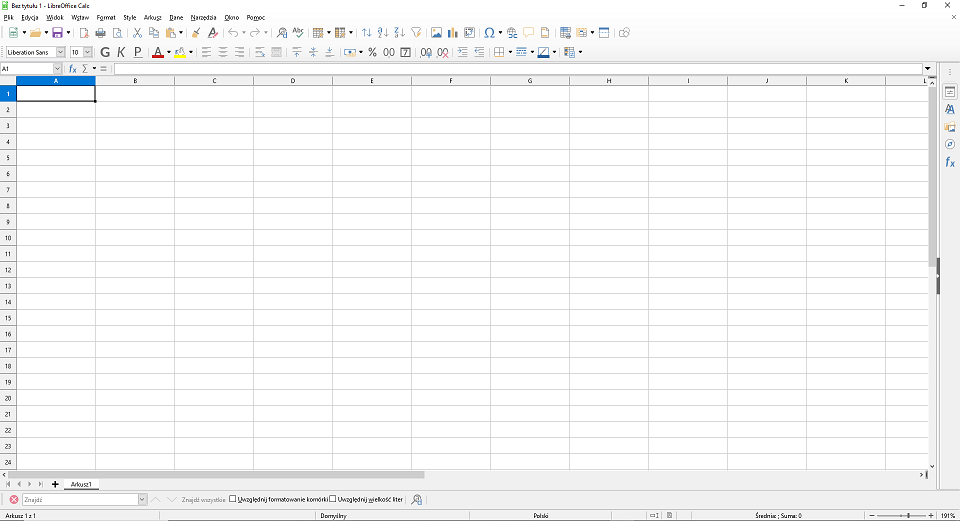
The Calc interface is clear and easy to use, which makes it suitable for both beginners and advanced users.
Users can create new spreadsheets from scratch, but also import data from other files. Supported formats include Microsoft Excel, CSV, and OpenDocument. This means transferring data from other tools to Calc is exceptionally easy.
Rich set of functions
LibreOffice Calc offers a wide range of functions—mathematical, statistical, logical, and text functions. This makes it possible to create advanced formulas that automatically process data and present results.
In addition, using the Basic language, you can create macros and scripts that allow you to further customize the program to individual needs.
Creating and customizing charts
One of the most important features of Calc is the ability to create charts. They make it easier to visualize data and better understand the analyzed datasets.
Users can choose from various chart types, such as bar, pie, line, or area charts. Additionally, it is possible to customize their appearance, colors, labels, and other elements.
It is worth noting that charts update automatically when data changes, allowing users to continuously monitor changes and trends.
Import and export of data
Calc supports various file formats for both import and export. This makes collaboration with other people or tools much simpler.
Files can be saved as CSV, Excel (XLS, XLSX), PDF, and many other formats. This ensures that data can be easily shared—regardless of the tool used by the recipient.
Advanced spreadsheet features
The program allows you to work with multiple sheets within one document. It also offers tabs, data filtering, automatic sum generation, and many other features that increase work flexibility.
Importantly, these options are available immediately after installation, without the need for additional configuration.
LibreOffice as a complete office suite
It is worth remembering that Calc is only one of the LibreOffice modules. The suite also includes:
Writer – word processor,
Impress – presentation creation tool,
Base – database management system.
As a result, users receive a complete set of office tools—without the need to use paid solutions.